On April 19, 2024, Google went live with its March 2024 core update, a process the company calls “more complex” than what was done previously and brought changes to numerous core systems. Google also rolled out its spam update, completed on March 20. An approximately 45% reduction in low quality and spam content was the primary outcome of the updates, as confirmed by a Google spokesperson, “The updates led to larger quality improvements than we originally thought – you’ll now see 45% less low quality, unoriginal content in search results, versus the 40% improvement we expected across this work.”
It is popular in America to say that change is good but unfortunately, the core update has left many small business owners grappling with declining search rankings and softening website traffic and uncertain of how to respond. Google says the remedy is to create higher-quality content, with a company spokesperson explaining, “As the web and spam tactics continue to evolve, we’ll continue to work to reduce low quality, unoriginal content in Search. As always, we appreciate and encourage feedback from users and site owners alike.”
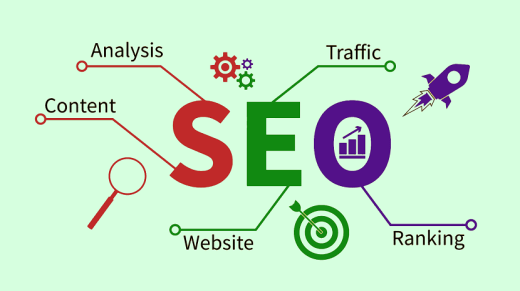
Well, what did you think they’d say? Look at it this way—if you haven’t examined your SEO strategy lately, you now have motivation to take a comprehensive look at how you’ve managed this essential business function so far and decide how you can effectively respond to the search engine update. SEO is about maximizing your company’s online visibility, the gateway to appearing more credible and receiving more website traffic. Below are suggestions of SEO tactics that are mostly DIY and free—and most of all, deliver an effective response to updates made by the search engine that according to StatCounter GlobalStats as of February 2024 controls 91.62 % of the global search queries market.
The purpose of SEO
It’s not an option, but a given and the purpose is straightforward. Effective Search Engine Optimization requires an holistic approach that combines multiple strategies that work in tandem to improve your website’s visibility in search engines, chiefly Bing, Google and Yahoo.
- Improve online visibility: to power-up your website ranking on search engines and enable more prospective customers to learn about your brand.
- Drive organic traffic: to attract prospective customers to your website, those genuinely interested in your content, products, or services.
- Establish authority: through your website and overall online presence—social media, published articles, your published quotes in media outlets—present yourself as a trustworthy and authoritative source of valuable information.
SEO impact is typically organized into segments—on-page SEO, off-page SEO and technical SEO—that describe how the process influences your website to amplify its visibility to search engines. As you contemplate your SEO strategy, which is a component of your inbound marketing success, be certain to develop and implement strategies and action plans designed to address each SEO category.
ON-PAGE STRATEGY
Google and other search engines look for sites that are trustworthy places for visitors and also provide content that’s useful to those in need of information. On-page SEO is the process of tailoring your website to maximize its visibility to search engines by demonstrating the availability of worthwhile content that can be found in a trusted source. Effective on-page SEO positions your website to attract new visitors who are potentially prospective customers. By taking specific actions, such as including certain keywords in your content and by adding internal links and optimizing URLs within your content, you might boost the assigned ranking of your website in the list of search results.
1. Post relevant long-form content
Posting relevant long-form content is a pathway to increased search visibility and Google’s core update has just made the presence of good content still more impactful. The process starts by writing about topics for which there is an audience—discover the topics that people want to learn more about. To enhance the authority of your posts, keep the following in mind:
- E-E-A-T (Expertise, Experience, Authoritativeness, Trustworthiness): The 2024 core update reinforces Google’s commitment to the E-E-A-T principles introduced in 2018. Websites that feature expertise and experience in the chosen field, authoritative content and trustworthiness will receive higher search ranking
- Use of credible data, statistics and case studies to support your points and provide evidence for your claims
- Include your byline in all articles that you’ve authored and also identify your guest posters. Industry experts should be credited with a brief bio, to highlight their credentials, expertise and authority
- Use headings and subheadings to present content in an organized fashion, to improve readability
- Include engaging and relevant visual content, including videos, photos, charts and/or graphs
- Address all aspects of the topic thoroughly to create a comprehensive resource on the subject
- Regularly update your articles to reflect new research, perspectives and information
2. Keyword research
Keywords are the words or phrases typed or spoken into search engines by visitors looking for information. By using keywords in your content, search engines will include that content or website in a list of sources that include the cited key words, therefore making it possible that you’ll receive a high page rank in results for those search terms. It makes sense to identify as many keywords as possible, including long-tail phrases, so that you’ll maximize your options when creating content that will capture the attention of search engines.
Be aware that simply packing posts with keywords in every sentence is not effective. Search engines seek out content that’s well-written. Place keywords naturally in target areas, including your headers, intro and metadata.
3. Keywords locations
While keyword density is not a viable strategy for improving search ranking, placing keywords strategically throughout your content is important for SEO. The trick is to use keywords organically and in the right places to show search engines that your content is relevant. Drop keywords here:
- Introduction: to set the context for readers and search engines
- URL: to help search engines understand the topic
- Title: to improve your click-through rates and rankings
- Body: copy to support topical relevance
- Headers: to structure your content and signal importance to search engines
- Metadata: description to improve click-through rates
4. Interlink your pages and blogs
Internal linking means creating hyperlinks in your content, so that website and blog readers can click as they read and check out your other posts or website pages. Internal linking supports on-page SEO because the availability of internal links invites readers to other pages within your website, or to other blog posts, and keeps visitors around longer, demonstrating to search engines that your website is valuable and useful. Also, the longer visitors are on your website, the more time search engines have to crawl and index website pages, helping Google et al. to obtain more information about your site and potentially rank it higher in search engine results. If you’ve got the techie gene you may want to take this on as a DIY project. Click to understand how internal linking is done (most may want to contact a professional). https://www.linkedin.com/pulse/best-practices-internal-linking-structure-2024-m-a-mamun-bhk0c
OFF-PAGE SEO STRATEGY
Off-page SEO refers to actions taken to impact your search engine ranking that are outside of your website. In other words, off-page SEO is how you manage external factors, for example, guest posting, social media activity and the presence of online reviews. While off-page activities do not directly involve your website, their effects can potentially increase website traffic and support your inbound marketing in the process.
- Social Media Presence
Active engagement: Consistently post relevant content and engage with your audience platforms such as Facebook, X (Twitter), Instagram and LinkedIn. An engaged social media audience that regularly interacts with your brand demonstrates brand authority and trust and therefore gives a vote of confidence to search engines.
2. Content marketing
- Content: Create and share high-quality, relevant and valuable content that includes backlinks to credible websites
- Infographics and visuals: Appealing visual content increases viewer engagement and content sharing
- Document Sharing: Share presentations, webinars, or documents such as white papers, brochures that showcase your products and/or services, or training materials on platforms like SlideShare and Scribd to expand your audience
3. Press releases
When you have a newsworthy announcement to make, e.g., to broadcast a talk you’ll give at a business association or chamber of commerce, or your participation in a popular local charity or community event, write a press release and post it on distribution sites such as EIN Presswire or eReleases . Not only will you take an important step to get your story out to your audience and your local community, online press release distribution is a great way to generate organic backlinks, since many online publications will automatically pick up relevant press releases. Within each press release, be sure to include one to two links to your website.
4. HARO requests
Help a Reporter Out (HARO) is a website that connects journalists and bloggers with expert sources—you!—for articles they’re writing. Journalists submit a query for expert quotes and will choose the top responses to include in their content. Oftentimes, the journalist will provide a backlink to your website as attribution for the quote. To increase the chance of being quoted, respond quickly and provide a complete and soundbite punchy answer.
5. Influencer marketing
Influencer marketing is an effective way to increase brand mentions and social media interactions, both of which are positive off-page ranking signals for search engines. If you can get onto the radar screen of a social media influencer who has a relevant audience for your brand, you can partner with that person to create an influencer marketing campaign that promotes your brand and its value proposition along with providing links to your website or social media profiles where applicable.
6. Backlinks
Building backlinks is important for SEO because it signals to search engines that your content is trustworthy and valuable. The more high-quality backlinks you have, the better your chances of ranking higher in search results.
While backlinks remain crucial for SEO, recent algorithm updates have shifted towards needing fewer but higher-quality backlinks. Earned links, in which editorial publishers or consumers mention your brand organically, are most highly favored. Built links, however, require some effort on your end, such as reaching out to content publishers for link attribution or mention. You can acquire backlinks through these common link-building strategies:
- Guest posting
- Link insertions
- Creating link-worthy content
- Building relationships with bloggers and website owners
- Using social media
7. Online Reviews
Online reviews provide a strong signal that’s taken into account when ranking your content online. They can build a lot of credibility and trust since they’re submitted by third parties who’ve interacted with your brand. Focusing on generating positive five-star reviews from legitimate customers can help your off-page SEO tremendously. You can generate these reviews on third-party review sites such as G2 as well as your local Yelp page.
TECHNICAL SEO
Technical SEO refers to how you can best optimize the technical elements of your website—primarily speed, security, user-friendliness and site structure. Technical SEO is about improving your website to make it easier for search engines to find, understand and store your content. Technical SEO focuses on user experience factors, such as making your website faster and fully visible and navigable on mobile devices. Do it right and technical SEO can enhance visibility in search results.
- User experience (UX)
The UX provided by your website is a concern to search engines. If your website offers an intuitive browsing experience, quick loading times and is mobile-friendly, you will be positioned to receive higher page rankings. Google now uses mobile-first indexing to determine search rankings. Ensure that every page of your site is mobile optimized, ideally using responsive design, and that all content is the same between the desktop and mobile versions.
2. Site security
Security plays a huge role in how people experience your website. When people feel that your website is secure, they interact more freely (and longer) with it. Google penalizes sites that do not secure their traffic with an SSL certificate and modern browsers mark them with an insecure site warning. SSL certificates are obtained through site your hosting provider. Click here for more information: https://www.linkedin.com/pulse/5-top-ssl-certificate-providers-2024-digital-expert-online-aezde
3. Index site
Indexing means adding a website and its pages to search engine databases so that the site can appear in search results. Indexing is pivotal in how Google and all search engines work. The presence of a “noindex” tag on your website or blog pages will cause search engines to ignore your content and prevent your site from being recognized and ranked—a situation that you want to avoid.
Noindex tags can be removed and this is another DIY project that I relegate to those born with the techie gene; I recommend that everyone else would be wise to consult a professional to do the work. FYI, here are remedies: https://www.linkedin.com/pulse/how-fix-google-indexing-issues-2024-md-belal-hossain-0cszc
Thanks for reading,
Kim
Image: © diki_pt at Freepik
 Freelancetheconsultantsdiary's Blog